

Export Your Full Substack Subscriber List (Free Tool + Analysis Templates)
I have 850+ subscribers. When I wanted to know who’s actually engaged, who might convert to paid, and when my growth spike

Substack shows you:
Email, Type (free/paid), Activity stars, Start date, Revenue
What you can’t do:
Export it all to analyze
Sort by multiple columns
Filter by date ranges
Calculate metrics
Manual process for 1,000 subscribers: 2-3 hours of scrolling and copy-pasting.
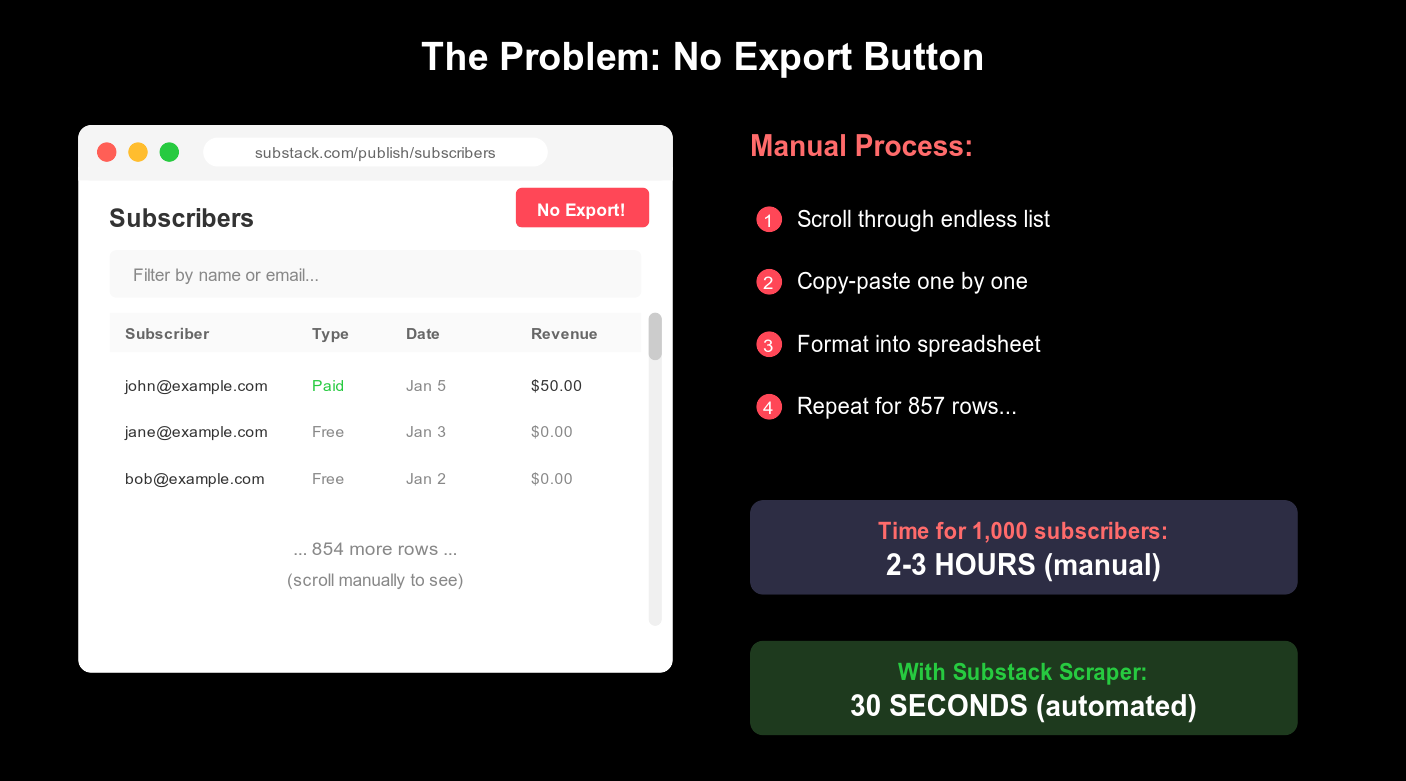
With this tool: 30 seconds.
What You Get (Free)
1. The Scraper Tool - github.com/pdaxt/substack-scraper
Exports your full subscriber list to CSV and JSON.
Output:
Email,Tier,Activity,Subscribe Date,Amount Spent
"reader@example.com","free","3","9 Jan 2026","US$0.00"
"supporter@example.com","paid","5","5 Jan 2026","US$50.00"
"superfan@example.com","founding","5","1 Dec 2025","US$200.00"
Activity is the engagement score (0-5) that Substack shows but won’t let you export.
2. Analysis Formulas (below)
The exact Google Sheets formulas I use to analyze my list.
3. The Analyzer Tool (included in repo)
Run node analyze.js after scraping to get instant insights:
Conversion rate vs benchmarks
Growth by month (visual chart)
When your paying subs joined
Your conversion opportunities
4. The “Whale Finder” Framework
How to identify which posts drive paid conversions.
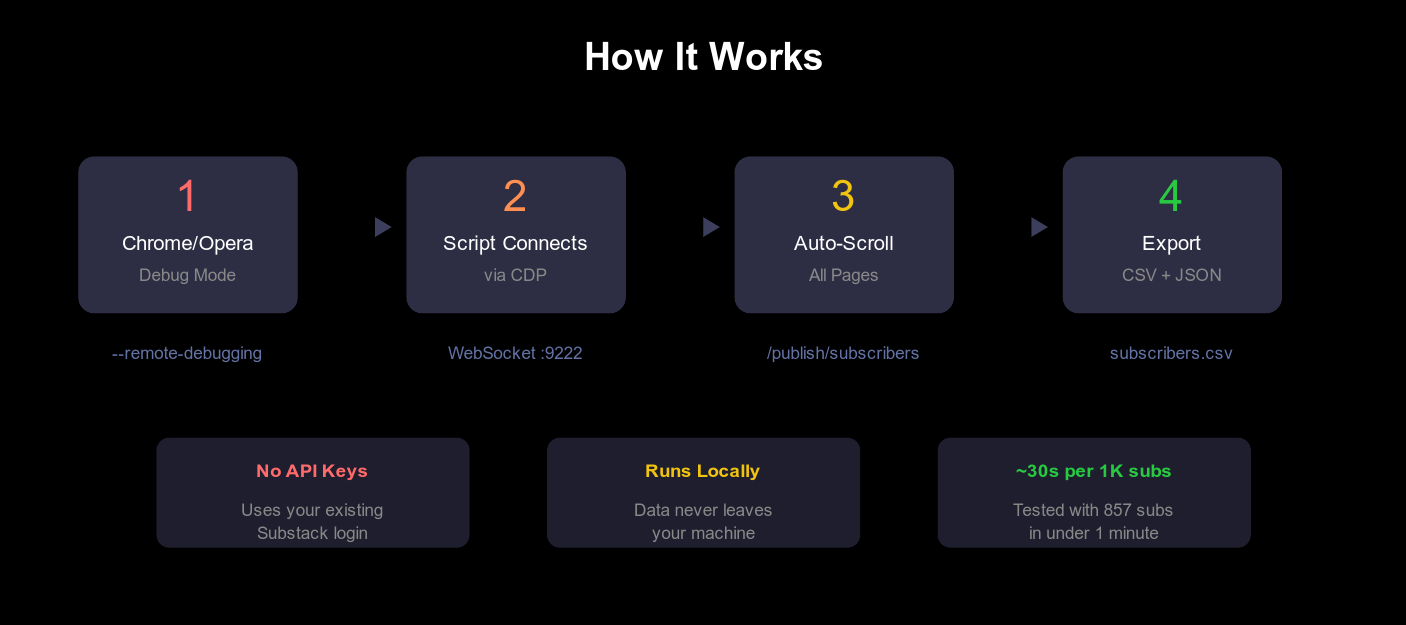
How It Works
Start Chrome in debug mode (one command)
Run the script (30 seconds)
Open the CSV in Google Sheets
Apply the analysis formulas below
No API keys. No third-party services. Runs locally on your machine.
